 Exhibit
You’re Losing Work Because Nobody’s Seen Your Last Projects
The work is good. The write-up is what never happens. Three weeks of evenings spent digging up old files and rebuilding layouts, after a full day of designing. So the last two years stay invisible. Exhibit takes the screens and notes you already have and returns a finished case study in Figma: written, laid out, mockups placed, every layer editable. One sitting instead of one more weekend.
Your first case study is free. Your files stay private.
How Exhibit works
Five tabs, one plugin, all inside Figma.
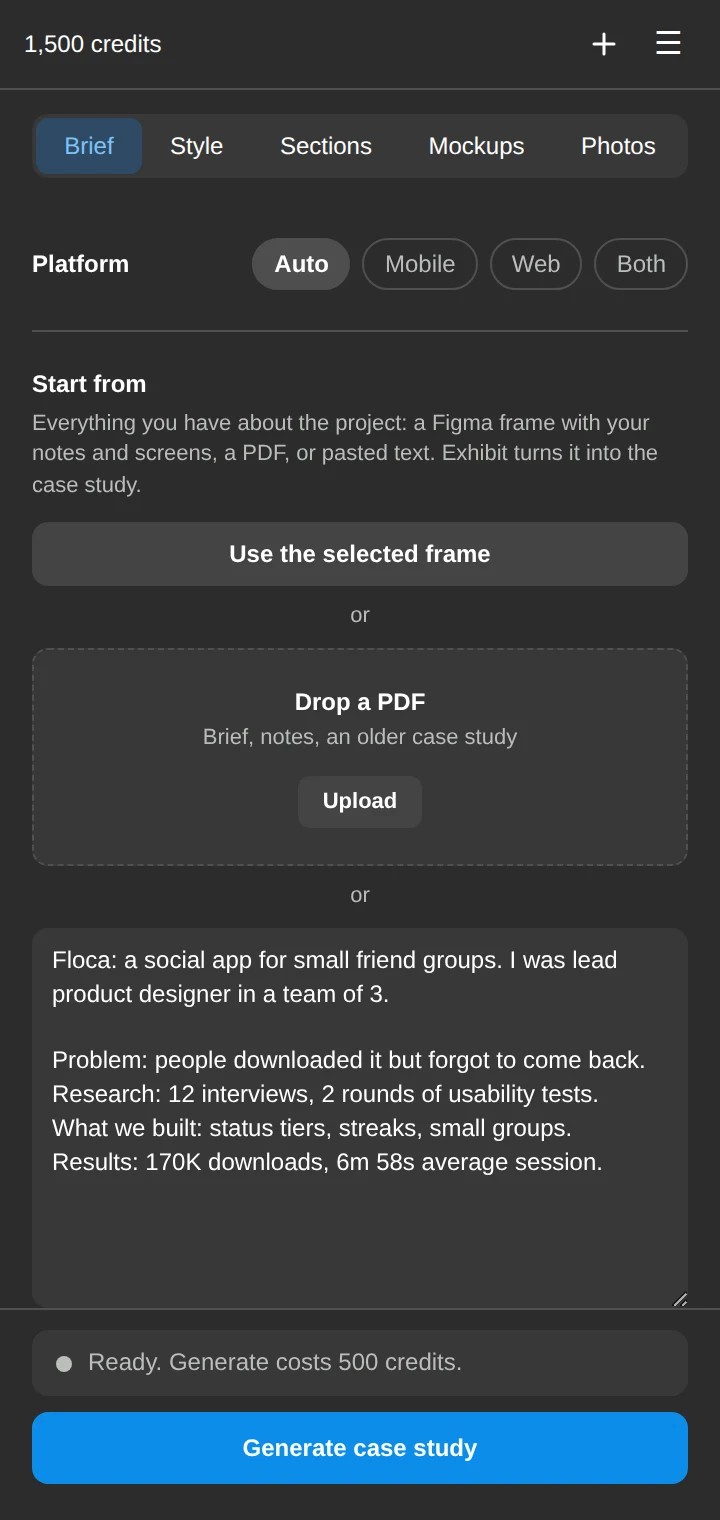
Start from what you already have
Select a Figma frame with your notes and screens, drop in a PDF, or paste your brief. Pick mobile, web or both, then press Generate.
- Works with rough notes, old case studies and project decks
- Uses only the facts, numbers and quotes you give it
- Writes and builds the whole case study in about five minutes
Make it look like your work
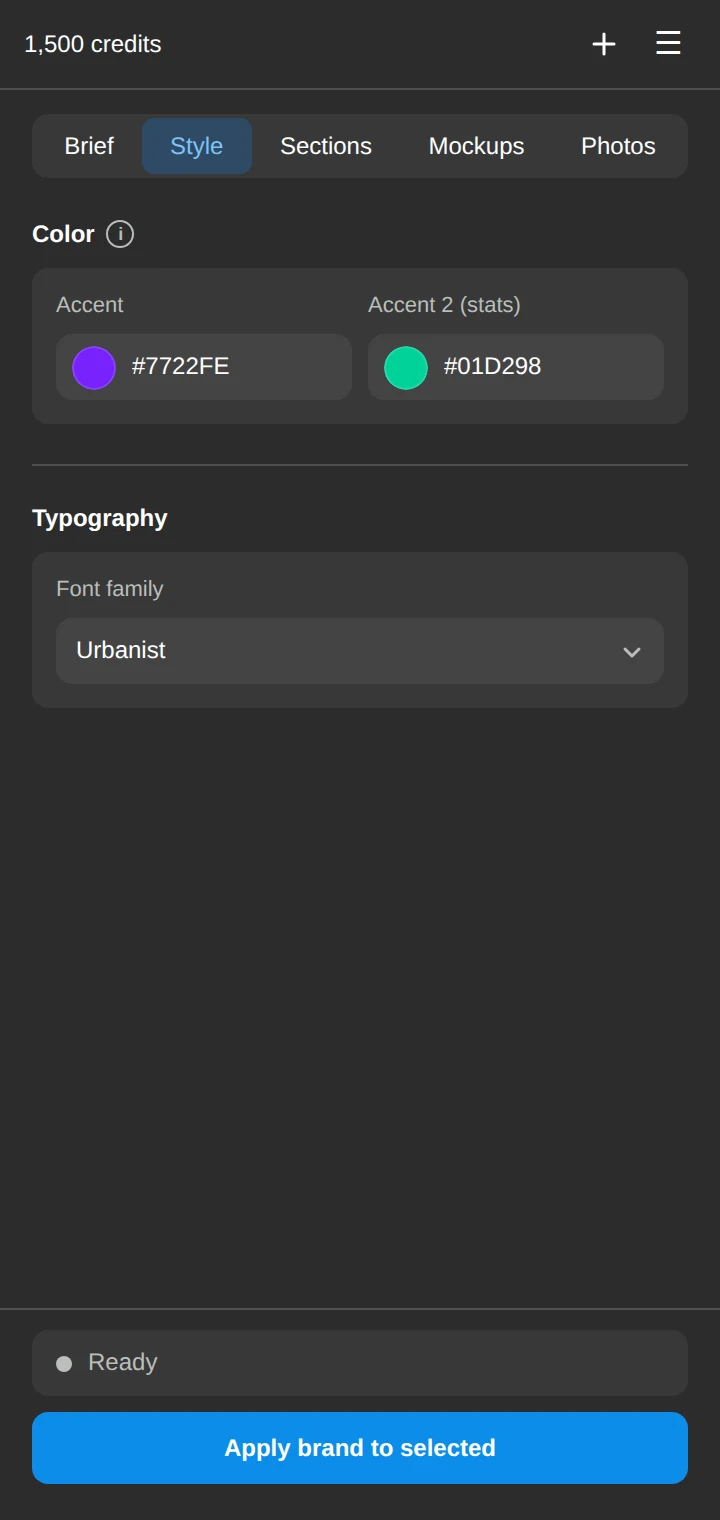
Set your accent colours and font once, and every section, chart and stat follows them. Restyle an existing case study in one click.
- Accent colour plus a second colour for stats
- Any font family available in Figma
- Apply your brand to a case study you already made
Edit any section on the canvas
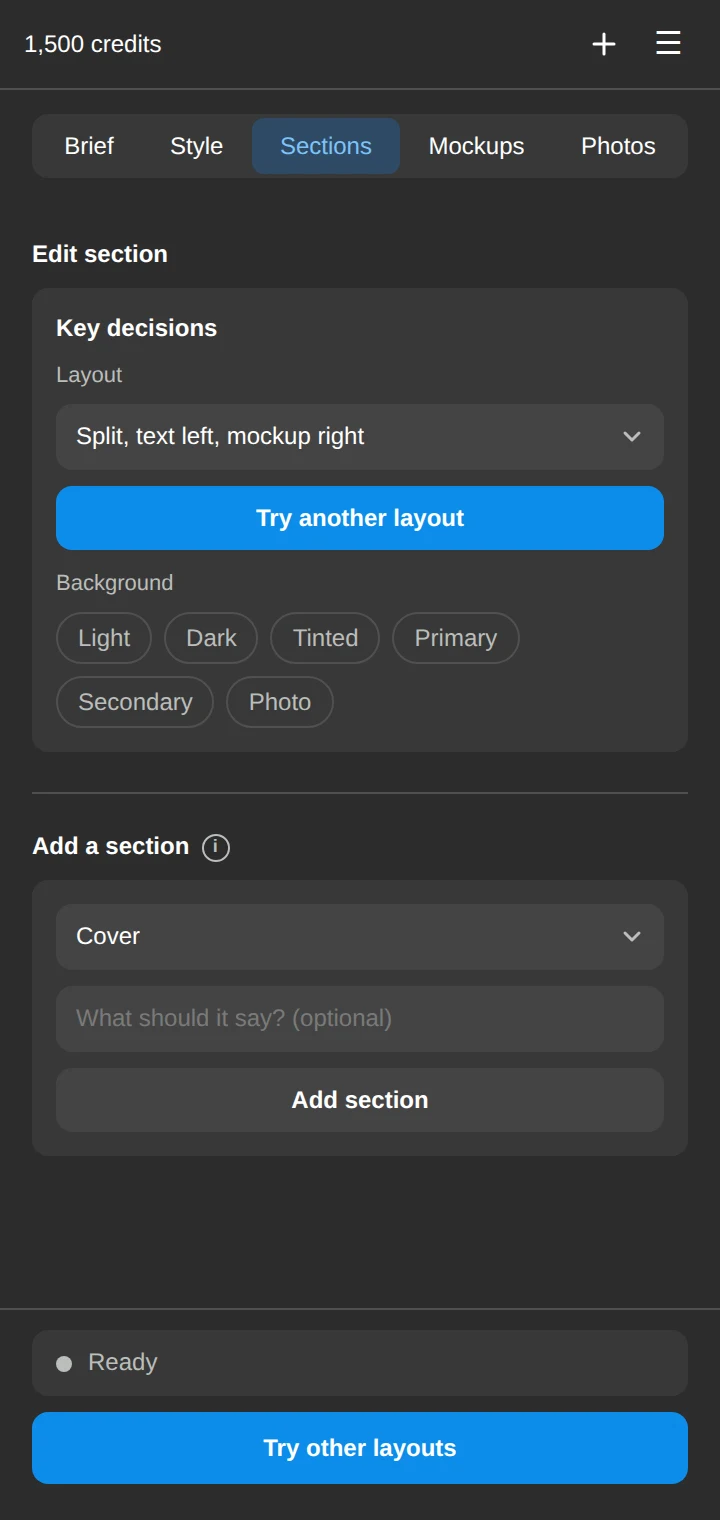
Click a section in your case study to change it. Try another layout, switch the background, or add a new section written from your project.
- Hand-built layouts for mobile, web and mixed projects
- Light, dark, tinted, brand or photo backgrounds
- Everything stays editable Figma layers with Auto Layout
Your screens in real devices
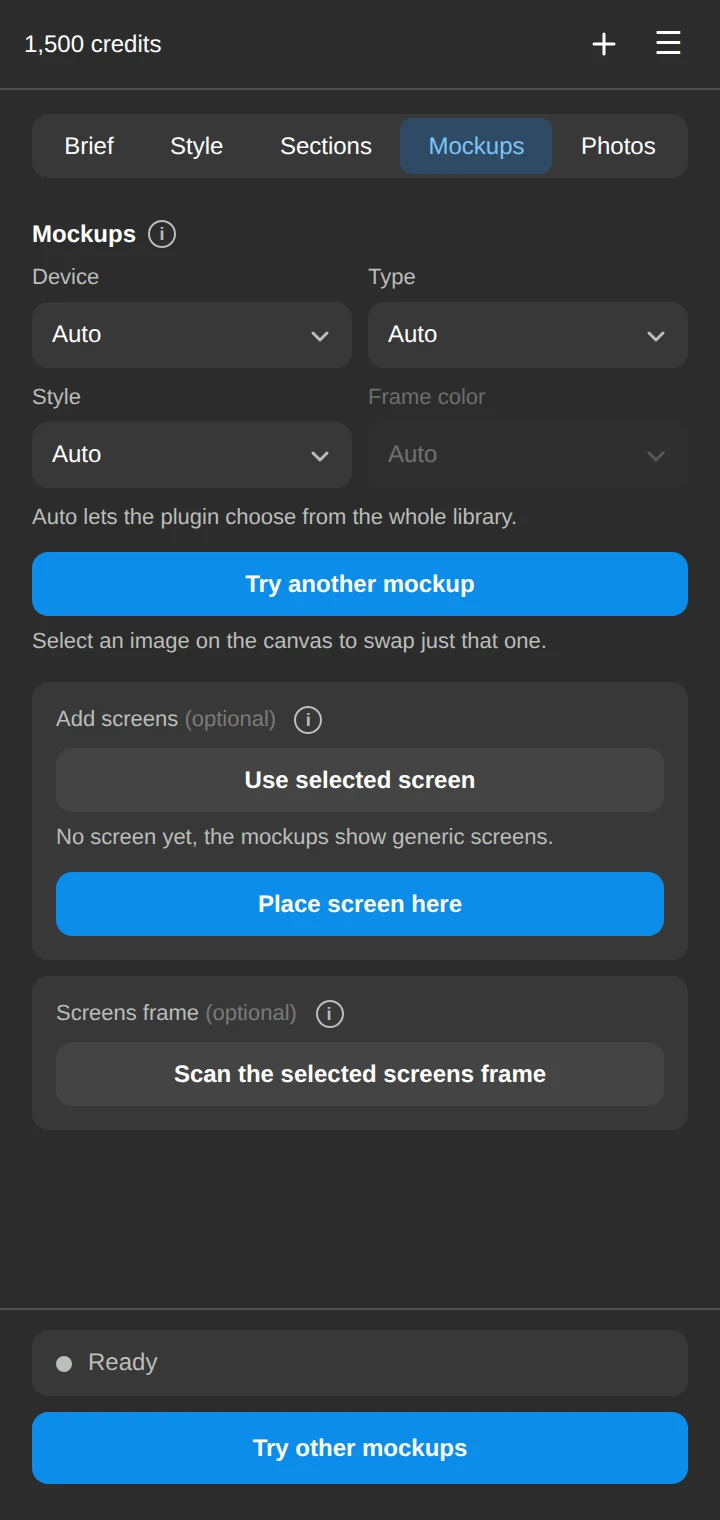
Exhibit places your screens into photographed and rendered device scenes that match each section. Filter by device, type and style, or leave it on Auto.
- 660+ device scenes, dark and light
- Place a selected screen, or scan a whole screens frame
- Swap any single mockup with one click
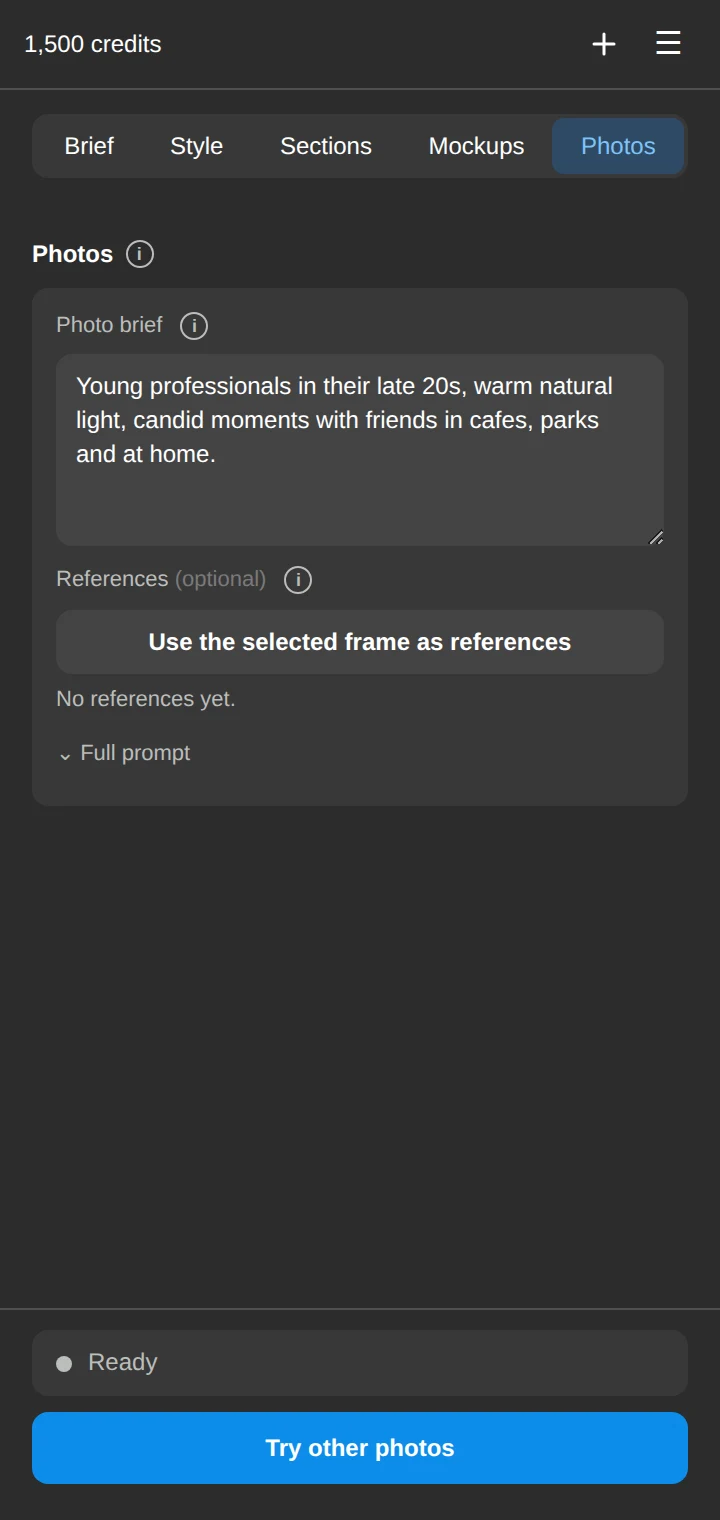
Photos that fit the story
Generated lifestyle photos show your product in people's lives. Exhibit writes the photo brief from your case study, or you can write your own.
- 3 to 5 photos per case study, no text or logos
- Use a frame as visual references
- Team and persona portraits from a curated library
Made for any project
Mobile apps, web products and mixed projects each get their own layouts.
Why not just chat and a template?
| AI chat + blank Figma | Figma templates | Exhibit | |
|---|---|---|---|
| Writes the story from your notes | ✓ | ✕ | ✓ |
| Designed, ready-made layouts | ✕ | ✓ | ✓ |
| Text placed into the layout for you | ✕ | ✕ | ✓ |
| Your screens in device mockups | ✕ | Manual | ✓ |
| Photos and portraits included | ✕ | ✕ | ✓ |
| Editable Figma layers | ✕ | ✓ | ✓ |
| Done in minutes | ✕ | ✕ | ✓ |
Simple, transparent pricing
A full case study costs 500 credits. Every button shows its price before you click.
Free
- Your first full case study
- Brief, Figma draft and PDF sources
- Mockups, photos and portraits
Pro Most popular
- 2,000 credits every month
- About 4 full case studies a month
- All sources, mockups and photos
- Unused credits stay in your account
Studio
- 5,000 credits every month
- About 10 full case studies a month
- For freelancers and small studios
- Priority support
1,000 extra credits, one-time purchase. Works with any plan, including Free.
Prices in USD. Taxes may apply depending on where you live. Subscriptions renew automatically and can be cancelled any time from the plugin. Payments are processed by our reseller, Lemon Squeezy.
Designers do great work and then leave it undocumented, because writing and laying out a case study takes days. Exhibit gives those days back.
 Product designers building tools for designers
Frequently asked questions
Where does Exhibit run?
Exhibit is a plugin inside Figma. You open it on any design file, sign in, and it builds the case study on your canvas. You need a Figma account.
Will it invent results or quotes?
No. Exhibit is instructed to use only the facts, numbers and quotes in your source. If something is missing, it writes around it instead of making it up. Always review the copy before publishing.
What are credits?
Credits pay for the AI work. A full case study is 500 credits and smaller actions cost less. If an action fails, the credits are returned.
Do unused credits expire?
No. Credits stay in your account while it is open. Subscription credits are added at the start of each billing period.
Can I cancel?
Yes, any time from the plugin. Your plan stays active until the end of the period you already paid for.
Who owns the case studies?
You do. The text and images Exhibit creates for you are yours to use in your portfolio and anywhere else. See the Terms.
Your work stays yours
Your project content is used only to create your case study. It is sent to our AI providers for that purpose and is never used by us to train models or shown to anyone else. Read the Privacy Policy.
Stop postponing your portfolio
Your first case study is free. It takes about five minutes.